Posts

Showing posts with the label tip

Tip : Build Modifier | Blender3d

Hi, Today, I was playing with modifiers and stumbled upon Build Modifier. This modifier is cool in a sense, that it allows you to see your pre made mesh , created step by step in front of you like an animation. Take a look. The best thing is , it is very easy to use. Just create your model. Join all the parts and Add the build modifier. Start   lets you select the frame number, from where to start the build up animation. Length allows you to set up the number of frames, your animation is based on. Seed randomizes the face build up sequence ( It is dependent on the Blend Internal Datablocks creation order). You can change the build up sequence by select Sort Mesh Elements >> Space Bar Menu . Here is the link to Official Documentation Build Modifier
Tip : Easy Toggle Render / Viewport Visiblity

Image
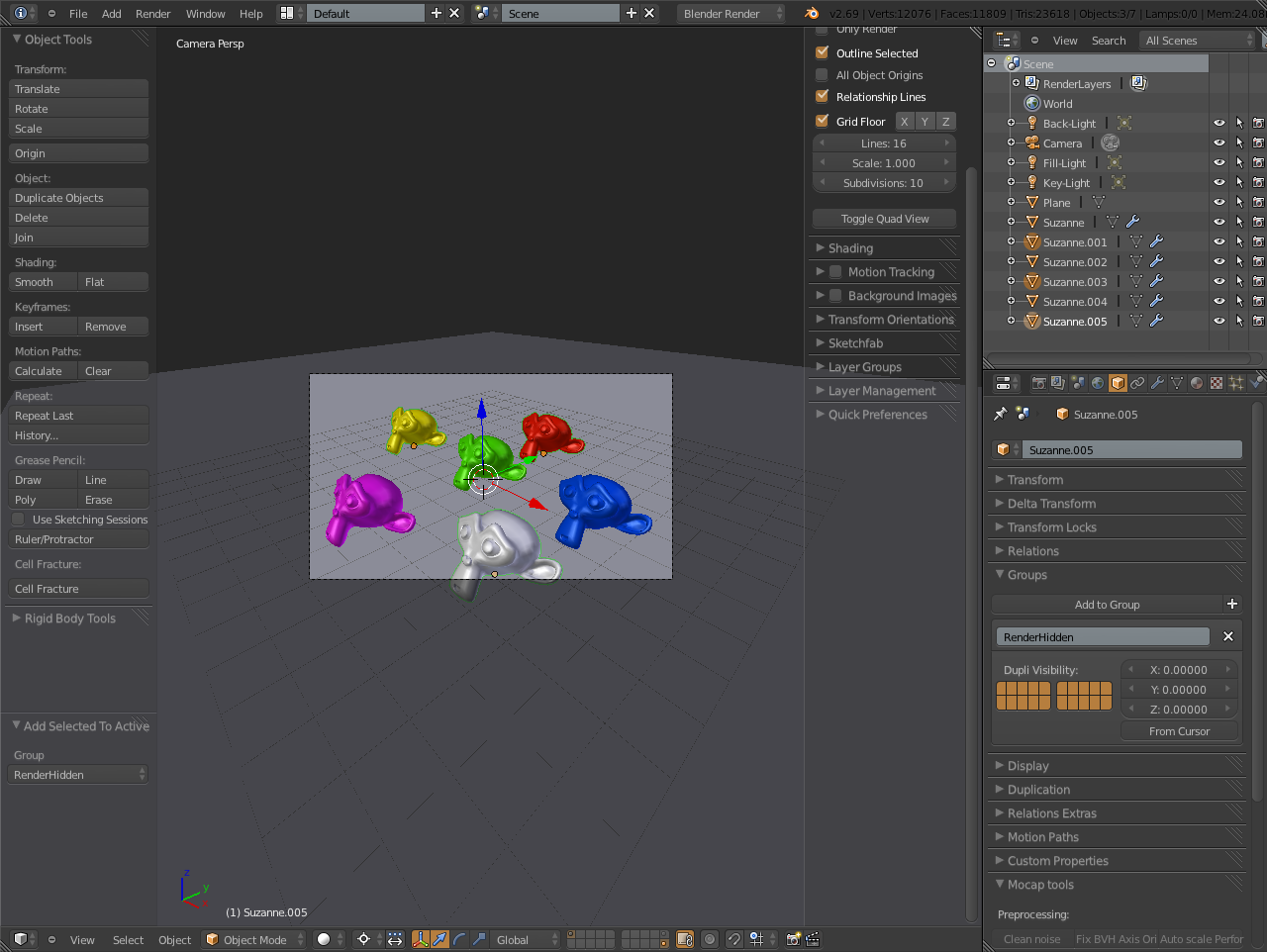
Hi There. Today, I will tell you about a little tip, which mostly blender users don't know about. The tip is related to Toggling Render and Viewport visibility, which is a huge time consuming problem when it comes to lots of objects. So, Let's begin. First of All, Here are the Shortcut Keys for Grouping Objects. Ctrl+G Creates A New Group ( Visible in Property >> Objects >> Groups) Ctrl+Alt+G Removes from the Group (Shows a list of Groups, object is member off, select any) Shif+Ctrl+Alt+G Removes from every group (without any prompt) Shift+Ctrl+G Add Selected to Active Group (Just like "L" Menu) Shift+Alt+G Remove Selected from Active Group It is necessary to keep One object in the Group, otherwise, your group will dissolve. So, When i start working on a project with 10-20 objects, i usually create a dummy Object and Add it to a group (RenderHidden) and move it to the 20th Layer. This way, I am able to work without any hinderance. ( ...