Posts

Showing posts with the label settings

Color Palettes in Blender

Image
Hi There, Recently, i saw a post on a forum , where a user was very puzzled with color usage during Texture Painting of his mesh. It seemed that people are not aware of another hidden (infact it is right there in front of our eyes) feature of blender , The Color Palette . So, today, we'll try to get some knowledge about Color Palette and how to use them. In this tutorial, i am using blender 2.69 (official version). It is not necessary, but you can unwrap your box , assign a texture, before moving forward. You are required to create a folder , where you want to save the color palette, which we will make in this tutorial. Ok, lets get started. Select Texture Paint Mode in 3d View. My Current setup is like this. Initial Setup Select the Corner Anchor of the Color Palette Properties, and move it below the Brush Properties. Color Palette Moved Expand Color Palette Properties. In the last line, there is a Folder Button, which allows you...
How to Setup WOTgreal

Image
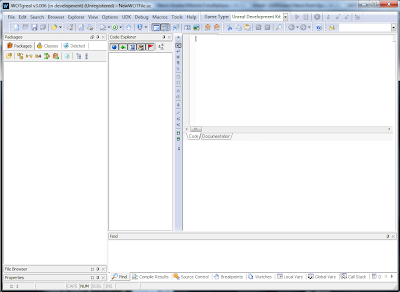
Hi, Today, I'll help you out in installing and setup WOTgreal , an editor for unreal scripting. It comes with Intellisense ( a feature made popular by Microsoft Visual Studio), which really helps in faster and better coding. I am not saying, it is the only editor solution out their, but it is one of the most convenient after Notepad++. First of all, download WOTgreal from here , along with  WOTgreal development kit. We need the development kit to enable some of the features, which are not available with installer package. Install the WOTgreal with defaults. Do not start the program yet. Unzip the development kit and copy all of the files in main WOTgreal installation folder. Now, start the WOTgreal and wait for it to load the initial start setup. Setup Wizard :  press next. Configure Game Type: Do not select anything and press next. Configure Look & Feel : choose Keyboard settings, Highlighter settings  & Skins. I usually leave it as it is. Cl...